Framework Selection
:::warning This Blocks Everyone Until a District Admin selects at least one evaluation framework, the District Admin is the only person who can do anything in eVAL. Evaluatees can't be attached to a framework, so no evaluation work can begin.
Other users can still sign in. They're sent to their Account page, which shows their account isn't set up yet and their work areas as "Pending" — see Access Issues in the FAQ for what they're seeing and why.
This is the most time-sensitive task of the year. :::
Where: Evaluation Setup > Framework Setup
You don't have to go looking for it. Until at least one evaluation framework is selected, eVAL routes the District Admin straight to the Evaluation Setup screen at sign-in. Once a framework is selected, it stops being the landing screen and moves to the top navigation bar, where you can return to it any time.
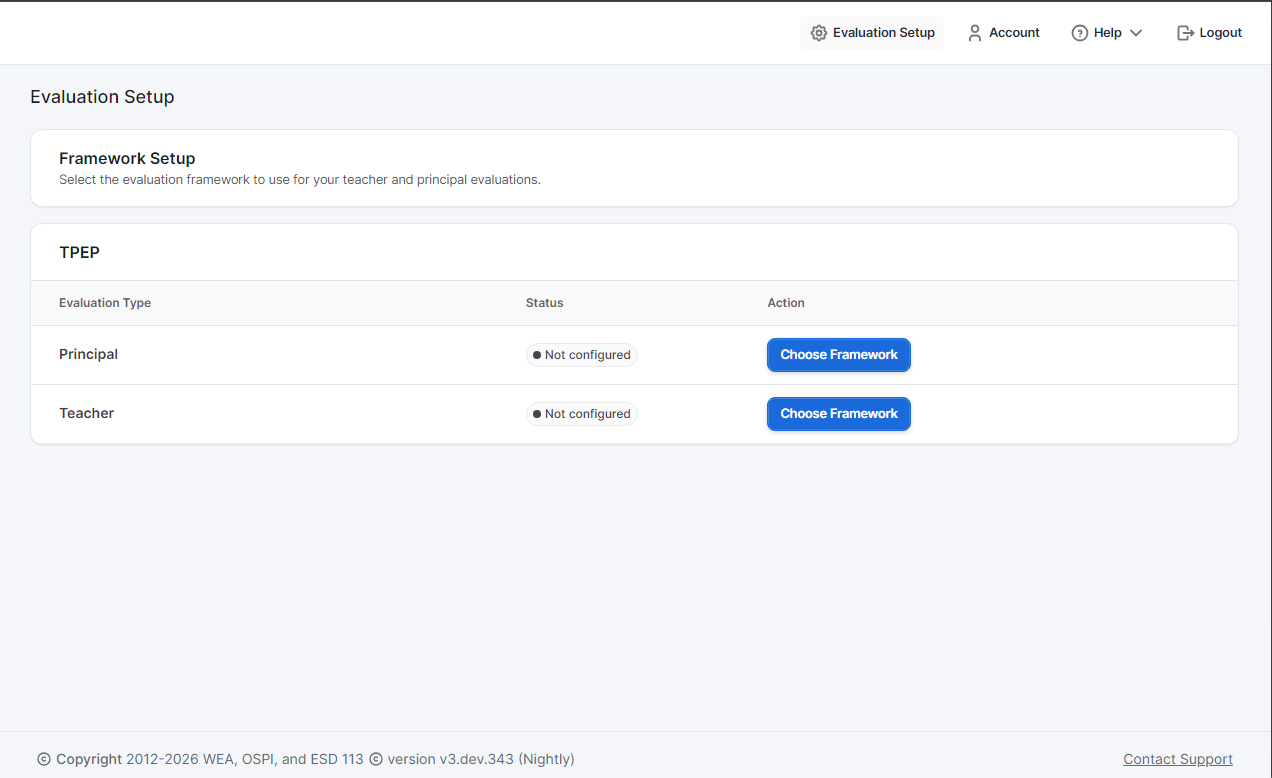
The Framework Setup page lists the available evaluation types with a "Not configured" status. Click Choose Framework to select a framework for each evaluation type.
What You're Choosing
| Evaluation Type | Who It's For | Must Enable? |
|---|---|---|
| Teacher Evaluations | Classroom teachers | Usually yes |
| Principal Evaluations | Principals/APs | Optional |
Framework Options
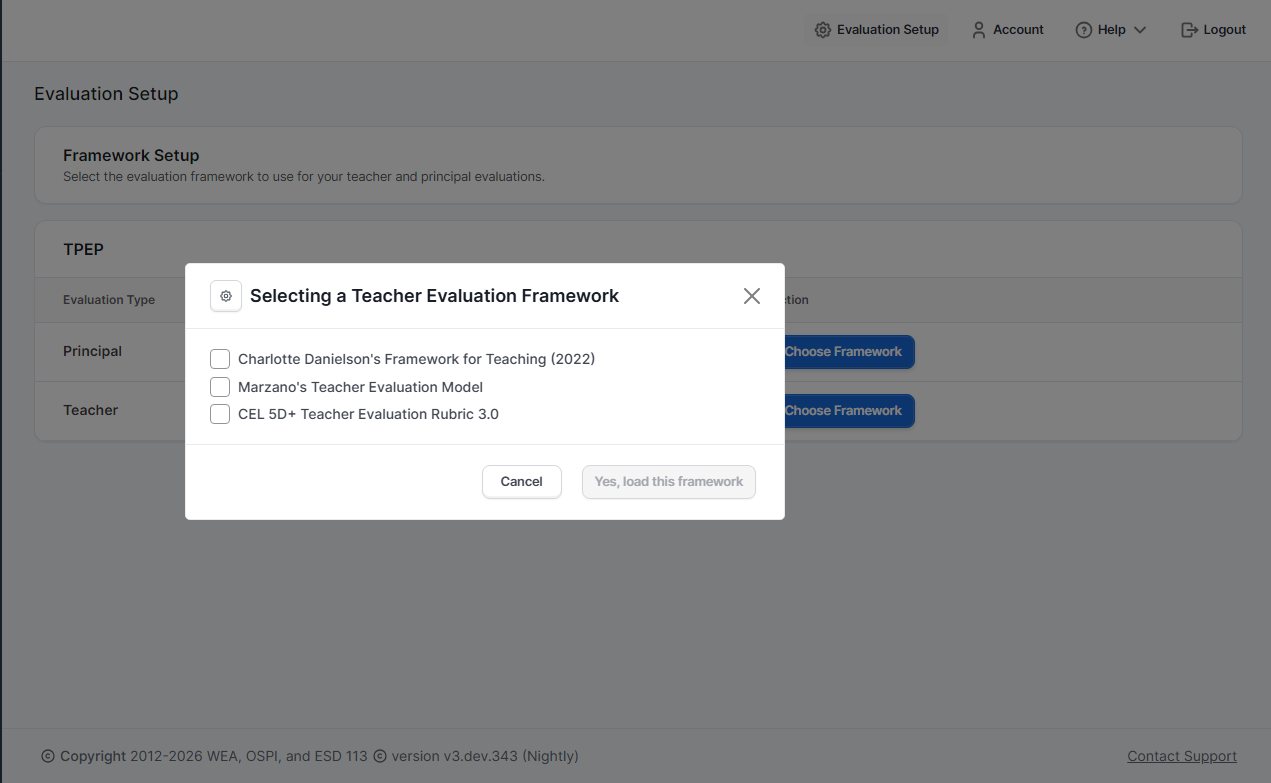
Clicking Choose Framework opens a modal with the available frameworks for that evaluation type:
For Teacher Evaluations
- Charlotte Danielson's Framework for Teaching (2022)
- Marzano's Teacher Evaluation Model
- CEL 5D+ Teacher Evaluation Rubric 3.0
For Principal Evaluations
- The AWSP Leadership Framework
- Marzano School Leadership Evaluation Model
For detailed information about each framework, see OSPI Frameworks and Rubrics.
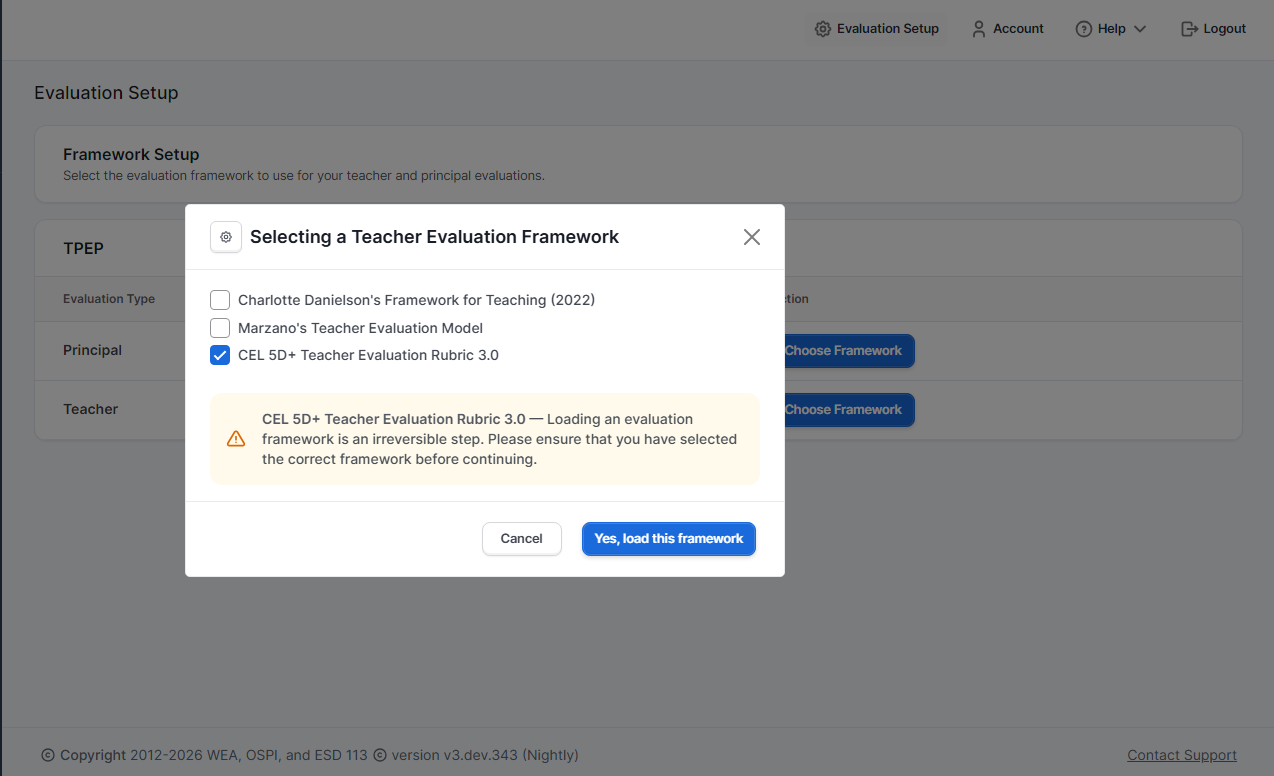
:::caution Irreversible Decision After selecting a framework, a warning confirms this is an irreversible step. Framework selection cannot be changed after the year begins. Choose carefully based on your district's adopted frameworks. :::
Each Evaluation Type Unblocks Separately
The two frameworks are independent, and selecting one doesn't unblock the other. This matters most for principals, who hold two roles at once:
| You've selected | What becomes possible |
|---|---|
| Teacher only | Principals can sign in and evaluate any teacher assigned to them. But they have no work area for their own evaluation — the principal side is still pending. |
| Principal only | Principal evaluations can proceed. Teacher evaluations can't begin. |
| Both | Everything is available, subject to assignments. |
So if you evaluate principals, selecting the teacher framework alone leaves every principal without access to their own evaluation — a common and confusing support question early in the year.
What Users See Before Setup
While setup is still in progress, other users can sign in but hit access gates — instead of full access, eVAL shows them what's still pending. Before you load a framework, users with that evaluation type see their work areas as "Pending."
This is a common source of support questions. For a user-facing explanation of these gates, point them to Account Status & Access or Access Issues in the FAQ.
What Happens After Selection
Once you select a framework:
- The status changes from "Not configured" to "Ready for use"
- The left sidebar menu populates with evaluation activities (Dashboard, Observations, etc.)
- Related work areas become available for all users with those roles
- You can proceed to the remaining setup tasks